












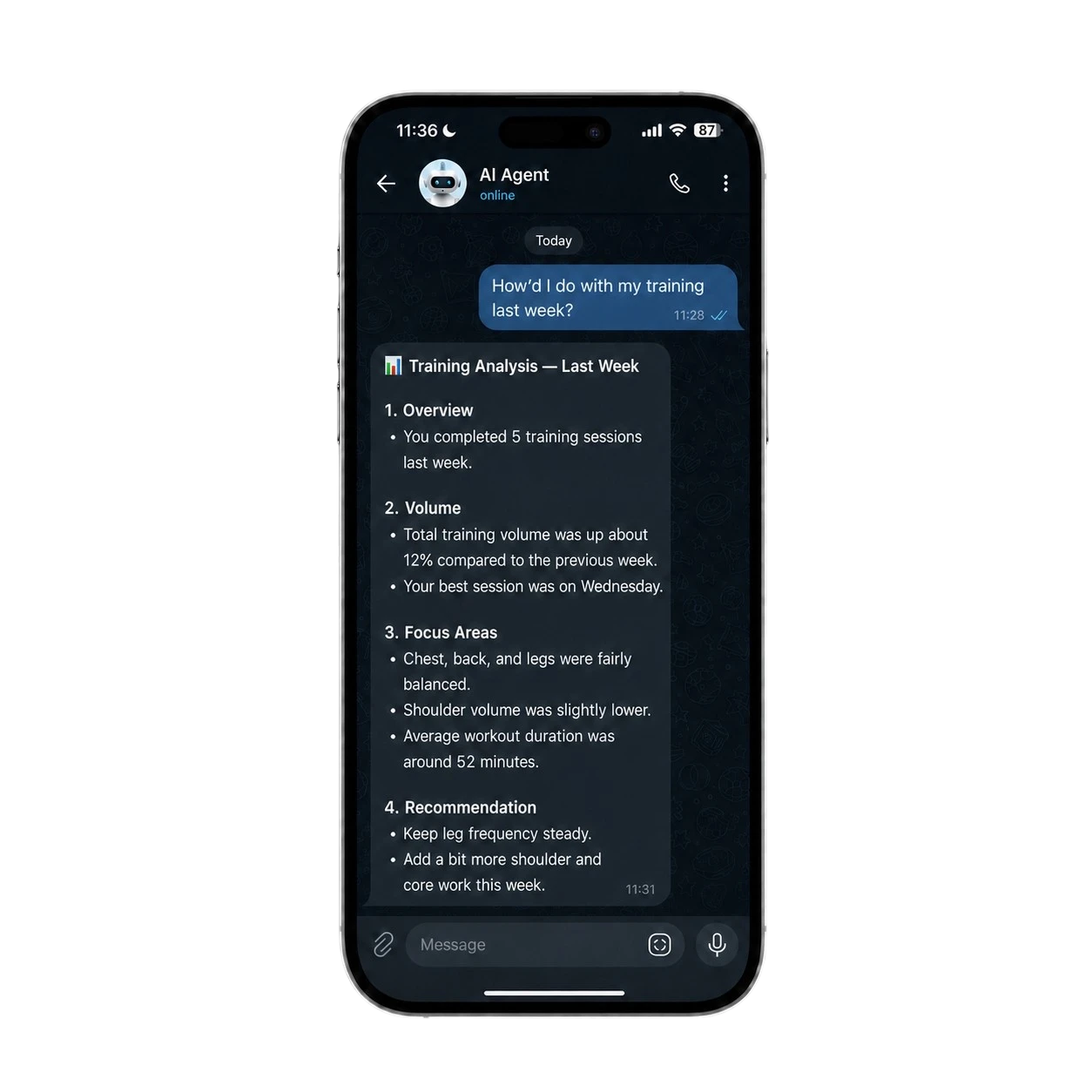
Through Cortex, your AI agent can retrieve VOLTRA workout data, analyze your training patterns, and deliver personalized improvement suggestions — right inside Telegram, WhatsApp, or Discord.


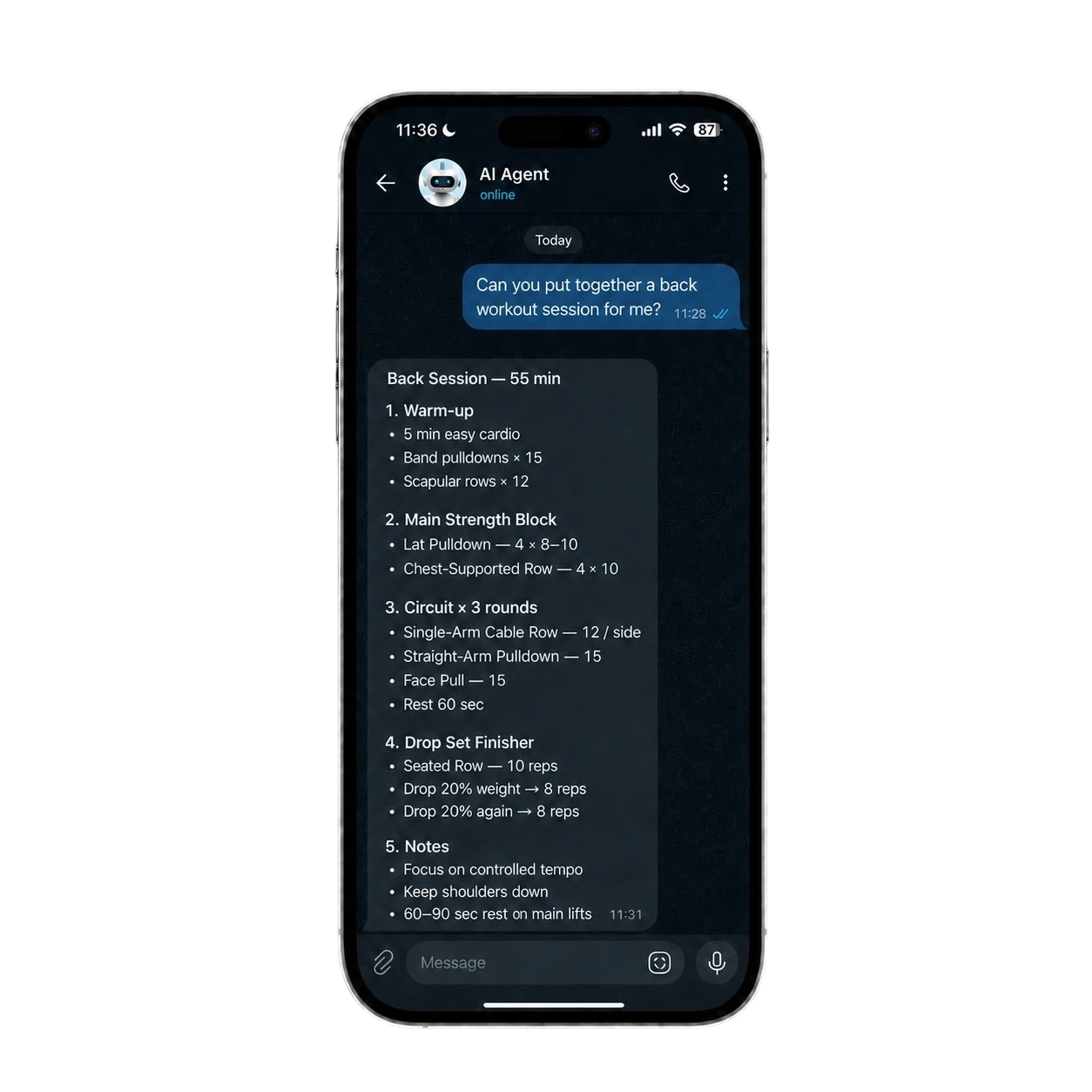
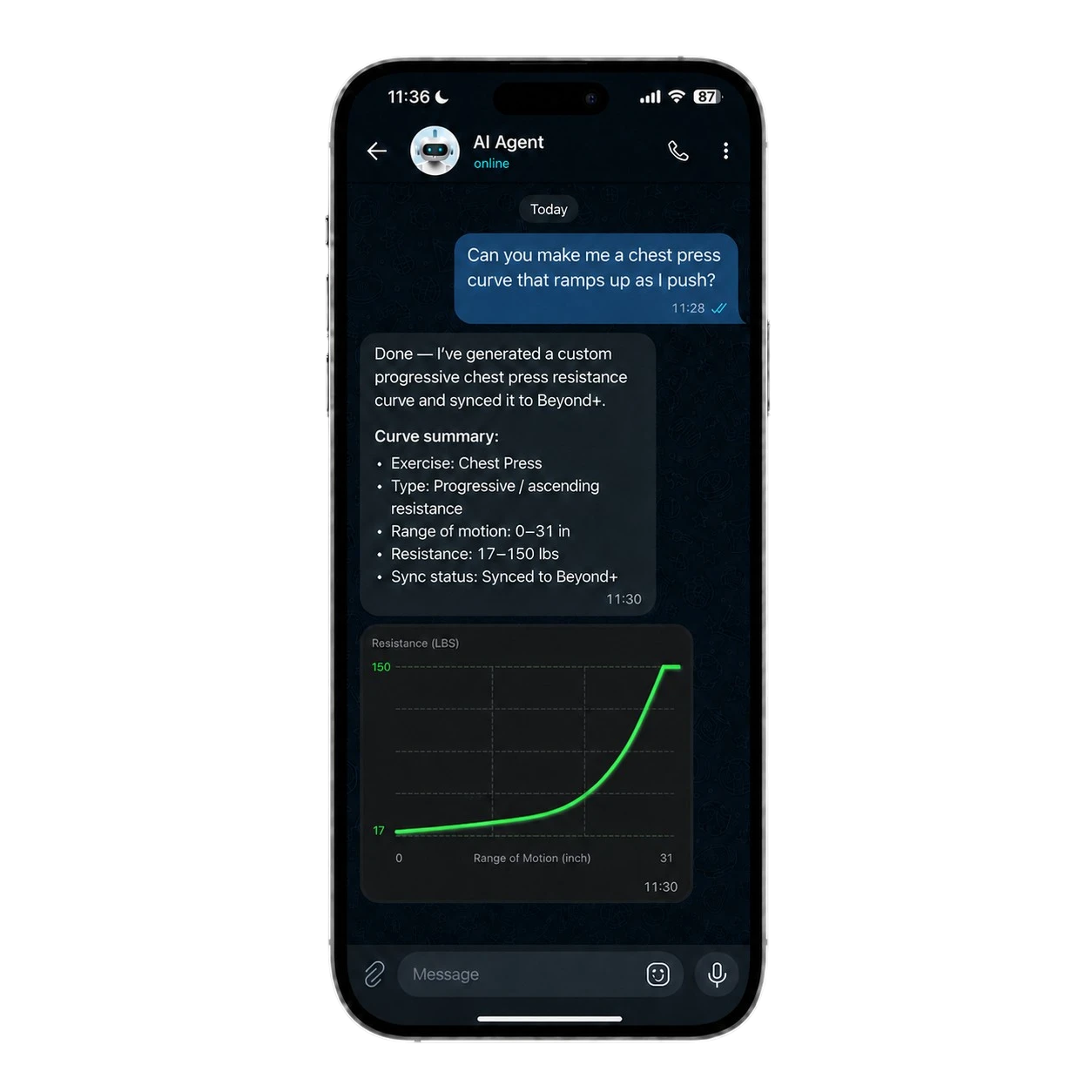
Beyond Cortex gives your AI agent the VOLTRA context and workflows to understand training, create sessions, design resistance curves, and work with supported VOLTRA controls.
Beyond Cortex gives your AI agent the VOLTRA context and workflows to understand training, create sessions, design resistance curves, and work with supported VOLTRA controls.
Works with your
favourite AI agents
Give your AI agents, workflows, and automation pipelines access to VOLTRA.

Power Your AI Agent with Beyond Cortex
claude code — beyond-cortex
What did I train this week?
Let me check your recent workout data...
$ voltra workout list --page-size 7
| Date | Action | Sets | Reps | Volume | Duration |
|---|---|---|---|---|---|
| Jun 24 | Free Exercises | 1 | 3 | 53 lbs | 0m 11s |
| Jun 23 | Free Exercises | 20 | 306 | 8,185 lbs | 4m 41s |
| Jun 23 | Free Exercises | 20 | 300 | 7,955 lbs | 4m 23s |
| Jun 21 | Free Exercises | 15 | 220 | 5,430 lbs | 3m 50s |
| Jun 20 | Free Exercises | 12 | 180 | 4,120 lbs | 3m 12s |
| Jun 19 | Free Exercises | 18 | 275 | 6,890 lbs | 4m 05s |
| Jun 18 | Free Exercises | 10 | 150 | 3,200 lbs | 2m 30s |
You trained 7 sessions this week. Total volume: 35,889 lbs across 1,444 reps.
Your busiest day was Jun 23 with 2 sessions.
Understand your training
Read your training history and turn it into something you can use: what's trending up, where you've stalled, how your volume is tracking. You get patterns from your own numbers, not a generic take.
- Ask about your training in plain language
- Aggregate sets, reps, and volume across sessions
- Export to CSV, JSON, or plain texts
Scanning for VOLTRA devices...Found: VOLTRA-4A2F (RSSI: -42) Connecting...Connected to VOLTRA-4A2F Battery: 87%Firmware: 1.8.0Mode: weightTraining Weight set to 50 lbs Loading — ready to trainFrom scan to training
in seconds
Find your unit, get set up, and start training in seconds. Connect, set your mode and load, and go.
- Find and connect to your unit
- Live status and battery
- Instant load control
- Set your training mode
Make It Yours
Build your own frontend
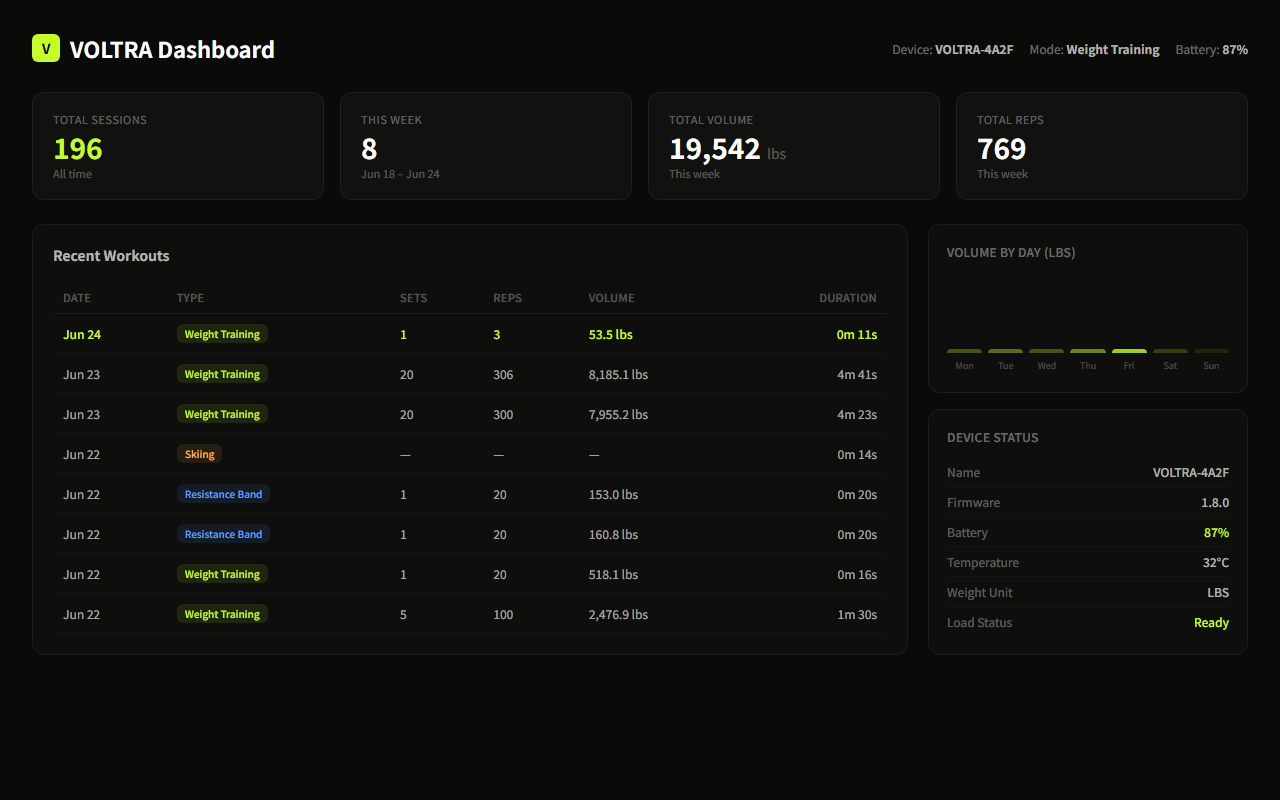
Whether you're building a coaching dashboard, a custom training assistant, or a personal workflow, Beyond Cortex gives your tools a structured way to work with VOLTRA and Beyond+. Write a thin Node.js server, connect any frontend you like, and copy the prompt to start building.
Frontend→Node.js→Cortex→Device
Device Control
Training Data
Full Automation
localhost:7788 — VOLTRA Dashboard
Ready-to-use Prompt
prompt.txt
I want to build a VOLTRA training dashboard web app.

Architecture:
- Backend: Node.js server that executes "voltra" CLI commands via child_process.execFile
- Frontend: HTML/CSS/JS that calls the backend API

Backend API endpoint:
  POST /api/run { "args": ["workout", "list", "--json", "--page-size", "10"] }
  → runs: voltra workout list --json --page-size 10
  → returns: { "ok": true, "data": <command JSON output> }

Key Cortex commands for the dashboard:
- voltra scan --json → list nearby devices
- voltra connect <ID> --json → connect to device
- voltra status --json → device status (battery, mode, power, weight)
- voltra workout list --json --page-size N → recent workouts
- voltra workout aggregate-sets --start <ISO> --end <ISO> --json → aggregated stats
- voltra set-weight <lbs> --json → set weight
- voltra load --json → activate load
- voltra unload --json → deactivate load

Build a dashboard with:
1. Device status panel (battery, firmware, mode, load state)
2. Recent workouts table (date, type, sets, reps, volume, duration)
3. Volume chart by day (bar chart)
4. Quick action buttons (scan, connect, load, unload)
5. Dark theme, primary color #c6fe28, background #0a0a08

Please generate server.js + index.html. Use only Node.js built-ins (no npm packages).
Beyond+

Get Beta Access
Open the latest version of Beyond+, find the Beyond Cortex banner, and request access.